
GA4 Traffic × AI Referrals
See the visitors AI brings you, and what they do next
GA4 traffic in the same monitoring view: sessions and conversions from AI tools shown on their own, every landing page matched to the keywords ranking on it, and every AI-cited page matched to the visitors it brings. From being mentioned, to being clicked, to converting, all in one place.
- Traffic and conversions from ChatGPT, Perplexity, Gemini, Copilot, Claude and other AI tools, shown separately
- Each landing page lists the tracked keywords currently ranking on it, with positions
- AI-cited pages matched to the sessions and conversions they bring, so you know which content to build on
Three things you will learn
GA4 is already thorough. This page adds the links between GA4, your SEO rankings and your AI monitoring.
- How many visitors AI tools bring, what share of the site that is, and how well they convert.
- Which keywords support each landing page, and at what positions.
- Which AI-cited pages already bring visitors, and which have room to grow.
GA4 essentials on one page, plus three things GA4 cannot show
GA4 overview
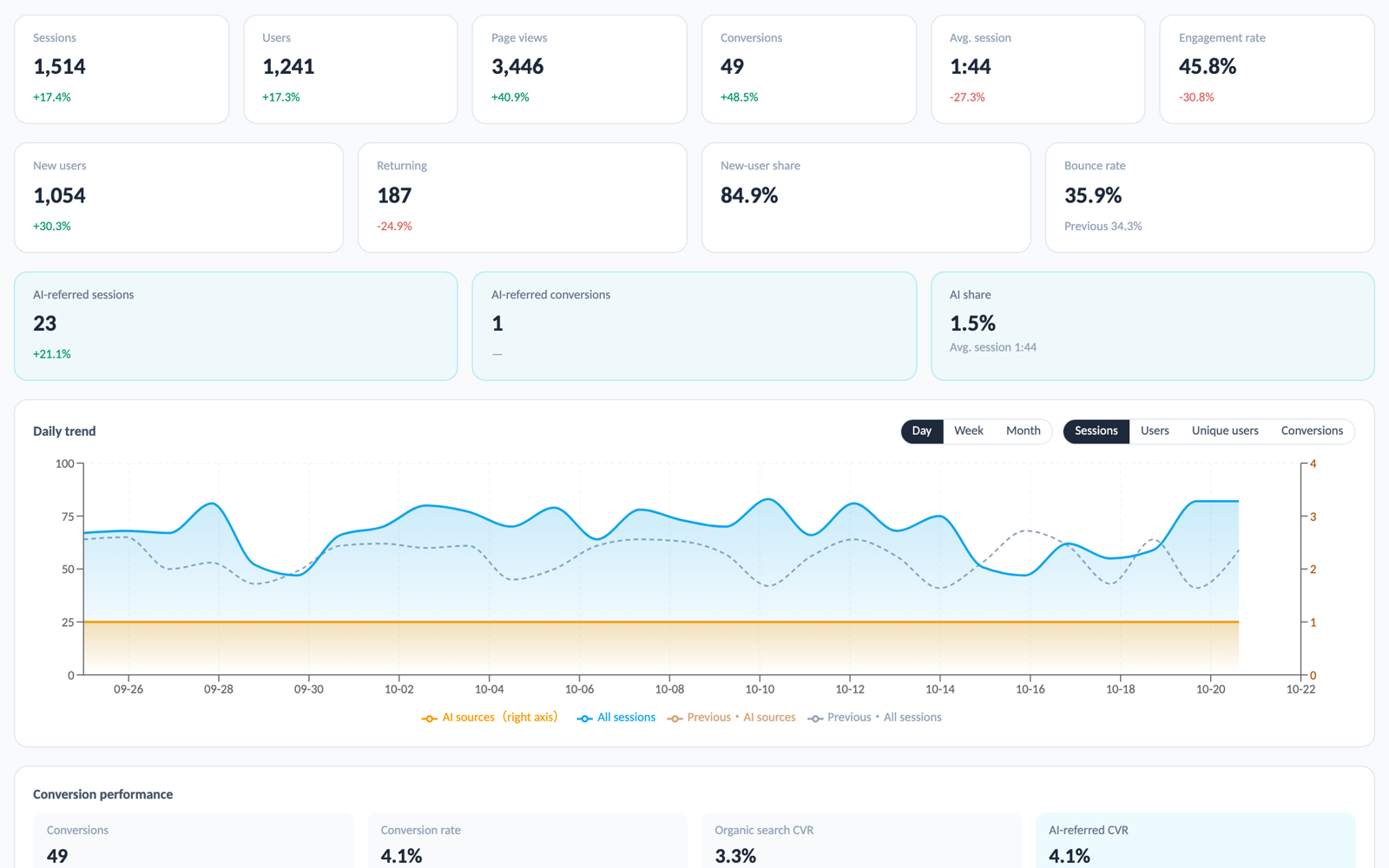
Sessions, users, page views, conversions, average engagement time and engagement rate, plus new-user share and bounce rate. The daily trend switches between day, week and month with sessions, users, unique users or conversions.
AI referrals shown separately
Sessions, conversions, share and engagement time from ChatGPT, Perplexity, Gemini, Copilot, Claude and other AI tools, with a breakdown per source.
Landing pages × tracked keywords
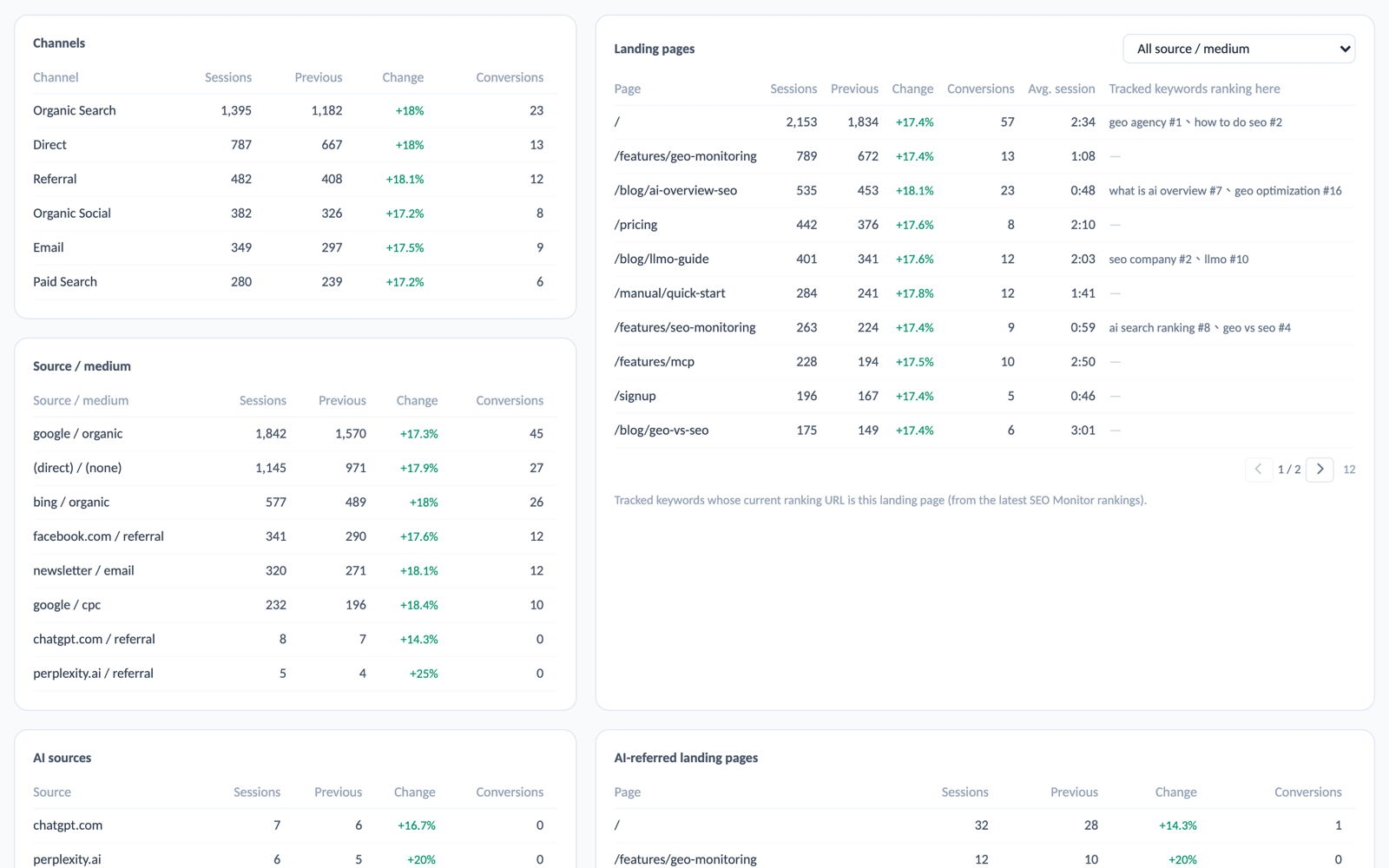
Each landing page lists the tracked keywords currently ranking on Google for that URL, with positions, so traffic and rankings sit on the same row.
AI-cited pages ↔ AI landing pages
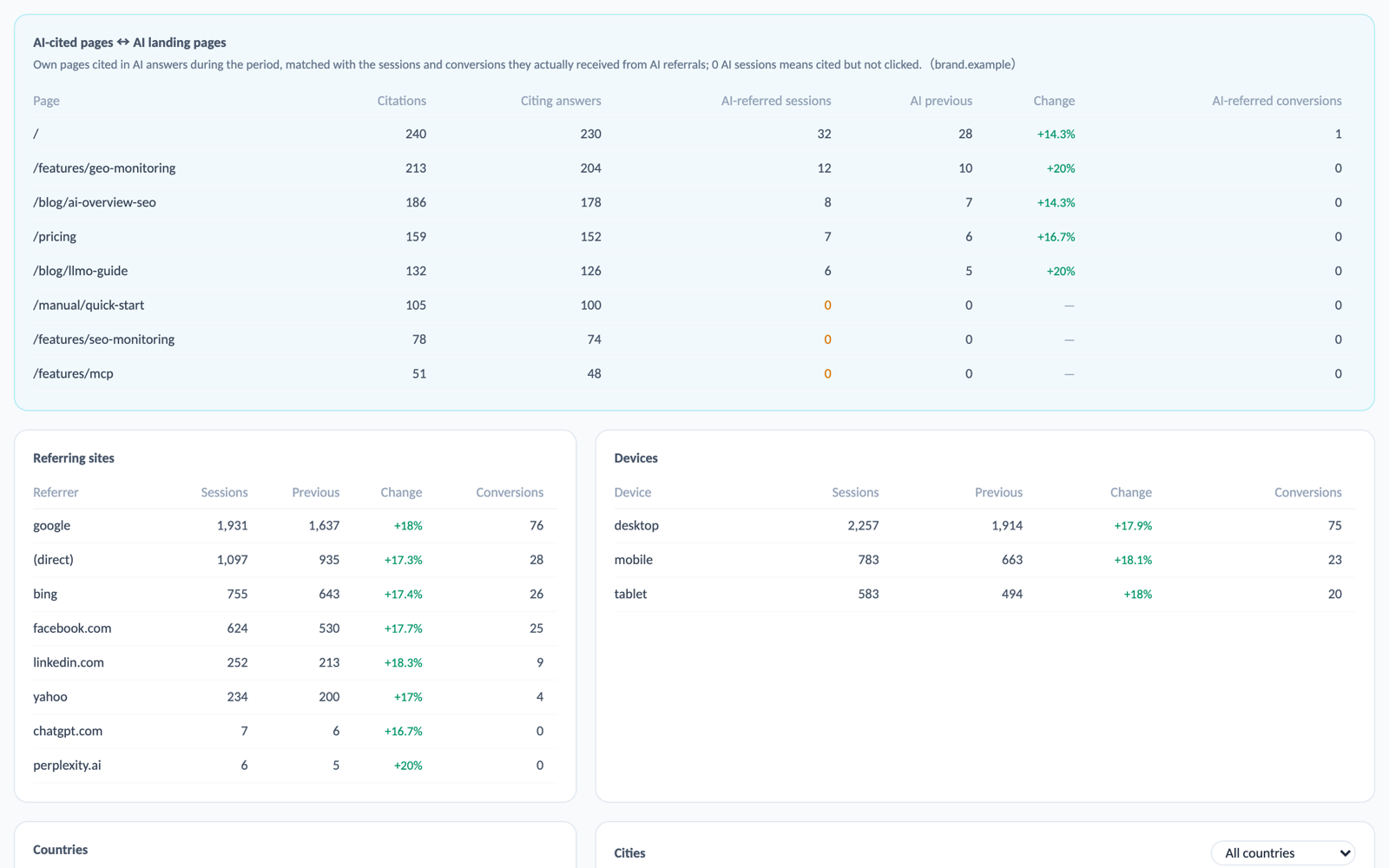
Your pages cited in AI answers during the period, matched to the sessions and conversions they actually received from AI. Pages already bringing visitors show what works; the rest are your next optimisation targets.
Screens
Comparison and filters
- Periods: last 7, 28 or 90 days, this month, last month, or a custom range.
- Tick period comparison and every card and table gains a previous value and change; compare against the preceding period or a custom range, with the previous period drawn as a dashed line on the trend.
- A country filter narrows every number; the cities card has its own country dropdown.
- Conversions: conversion rate, organic conversion rate, AI conversion rate, and each key event with current, previous and AI figures.
- Channels, source / medium, referrals, devices, day of week and hour of day, all with previous-period comparison.
Clicks from Google AI Overview and AI Mode are counted as google / organic in GA4; AI referrals on this page mean standalone AI tools such as ChatGPT.
Questions you may have
QHow do I connect GA4?
Authorise with a Google account in Project Settings and pick the GA4 property. It takes about a minute, and the same authorisation feeds the monthly report.
QDo I need tracking set up first?
Yes. The keyword and AI-citation cross-references build on monitoring data, so the page is generated once the project has at least one tracked keyword or prompt.
QHow fresh is the data?
Every visit fetches the latest numbers from GA4; the same selection is served from cache for 10 minutes. The first load of a new period usually takes 10 seconds to a minute.
QHow is conversion rate calculated?
Conversions are GA4 key events; conversion rate is the share of sessions with at least one key event, counting several events in one session once.
QCan I ask for it in Claude?
Yes. The MCP tool get_ga4_traffic answers questions like "traffic and AI share over the last 28 days" or "which AI-cited pages bring the most visitors".
Tell us what you need
Our team will get back to you as soon as possible to schedule a live demo.