Site Audit
Find out what is wrong with your site before your rankings do
One check covers the technical issues that both search engines and AI search care about — from status codes, redirects and canonicals to structured data, and whether AI crawlers can reach your main content. Every issue is ranked by severity, with the affected pages and how to fix it.
- 48 checks across 22 categories, covering technical SEO and AI readability
- Compares what AI crawlers see with what Googlebot sees
- Attach it to a project to run weekly, every two weeks or monthly and email the results
Technical problems usually surface after rankings drop
A redesign, a new plugin or a domain move can each leave problems behind without anyone noticing.
- The sitemap lists URLs that redirect or are marked noindex, so what gets indexed is not what you expect.
- Main content is rendered by JavaScript, so AI crawlers that do not run JS see an empty page.
- The issues are spread across hundreds of pages. Checking them one by one is not realistic, so they only get noticed when traffic falls.
What gets checked
Technical SEO
HTTP status codes, 301/302 and redirect chains, canonicals, noindex pages listed in the sitemap, broken internal links, URLs with query parameters, directory depth, plus http→https, www consolidation, SSL certificate and a custom 404.
On-page content
Title and meta description length, H1 usage, image alt text, thin content, JSON-LD structured data, breadcrumbs and og:image, with Product structured data checked on product pages.
Mobile and speed
Viewport, content wider than the screen, tap targets and font size, following the Search Console mobile usability criteria. Representative pages are also measured with PageSpeed for mobile and desktop Core Web Vitals.
Multilingual sites
Set a target country and language, and each page’s lang and hreflang declarations are compared to find missing tags or links to the wrong language version.
A second look from the AI search side
Being understood by search engines does not mean AI can read you. These checks are rarely covered by general SEO tools.
AI crawler access
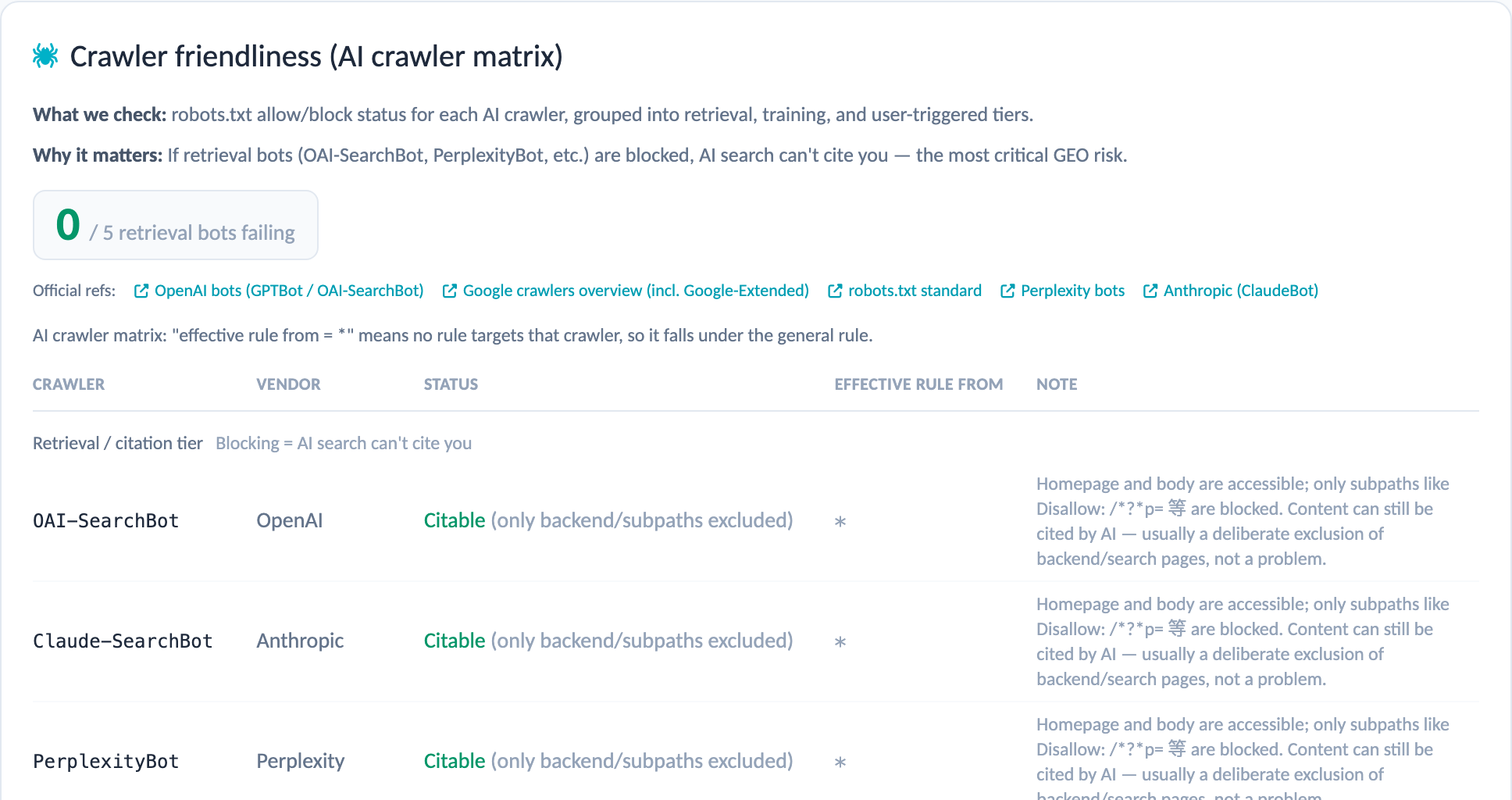
Parses robots.txt and lists whether each major AI crawler, such as GPTBot, is allowed or blocked, and checks whether llms.txt is provided.
AI crawler view
Reads the same page without running JavaScript and again after browser rendering, compares how much content each returns, and flags page types where AI crawlers may miss the main content.
AI engine citations
Shows how often the domain is cited in ChatGPT, Perplexity, Gemini, Copilot, Grok, Google AI Overviews and AI Mode, with example questions that cited you.
Answer readiness and author signals
Checks whether articles open with a direct summary or a Q&A structure, and whether they credit an author. Both affect how likely AI is to use the content.
Screens
How it works
- Enter a domain to start, and choose the whole site, a directory or a single page.
- Pick 100, 300 or 1,000 pages. URLs are grouped by pattern and sampled, so a limited page count still covers your different templates.
- If robots.txt or the sitemap cannot be fetched, paste the contents directly.
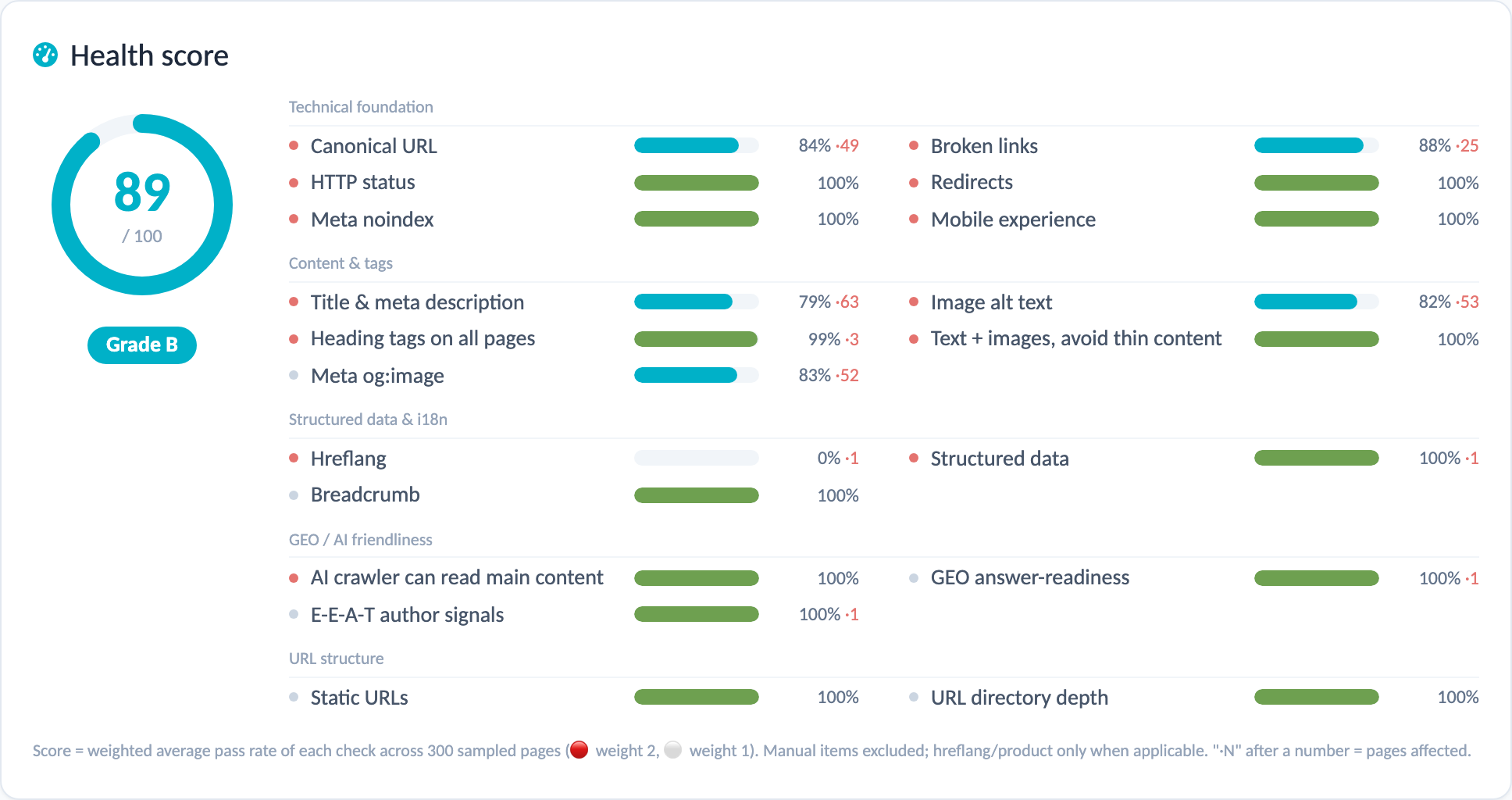
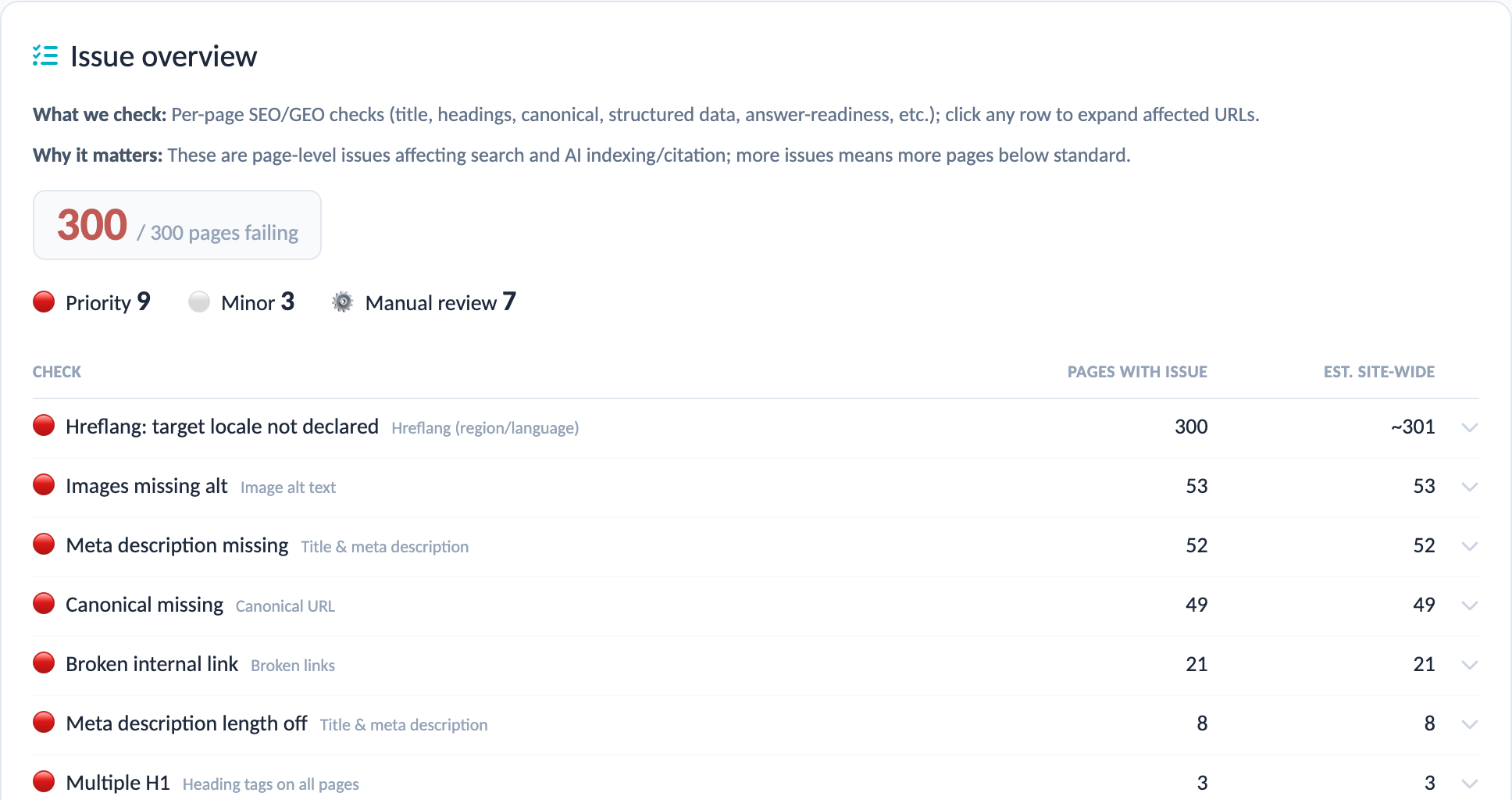
- The report opens with an overall score, ranks issues by severity and lists the affected pages for each. You can download it as Excel.
- After fixing issues, click Re-check to run again with the same settings and compare.
Keep tracking it with a project
Scheduled runs
Choose weekly, every two weeks or monthly in the project settings, and the audit runs on schedule without anyone having to remember it.
Results by email
When an audit finishes, recipients get an email with this run’s score and the change since the last one, plus a link to the full report.
Audit history per project
Each project keeps its own audit history, listing the score and status of every run so you can see the effect of your fixes.
Questions you may have
QHow long does an audit take?
It depends on the page count and how fast the site responds, typically 10–20 minutes. You can leave the page and come back to the list or the project audit page when it is done.
QCan it check a site built with a JavaScript framework?
Yes. It detects pages whose content is generated by JavaScript, checks the rendered version when needed, and flags what AI crawlers may not be able to read.
QDo I need to install code or grant admin access?
No. The audit reads your public pages from the outside, the same way search engines and AI crawlers do.
QHow are multilingual sites handled?
Set the target country and language when creating the audit, or let the system detect your language versions. The report compares hreflang against the actual language of each page.
Tell us what you need
Our team will get back to you as soon as possible to schedule a live demo.