
MCP connector
Stop opening dashboards. Just ask.
MCP lets Claude read your own organization’s project data directly. Ask in plain language and it picks the tools itself, chains several when the question needs it, and writes the answer in the shape you asked for. The data never leaves your account.
- 22 tools: SEO rankings, AI visibility, citation sources, research and content generation
- One-click authorization on claude.ai — no key to copy
- One key per member, scoped to your organization only
The data is in the system. Every question still has to be assembled by hand.
A dashboard answers the questions someone anticipated. The one you need right now usually is not on it.
- A client asks how often AI mentioned them last month versus competitors — that answer lives across three separate pages.
- Every new angle means filtering again, exporting again, and lining it up in a spreadsheet.
- Answering "which keywords do we rank for but AI never mentions us" means comparing two datasets side by side yourself.
What you can ask once it is connected
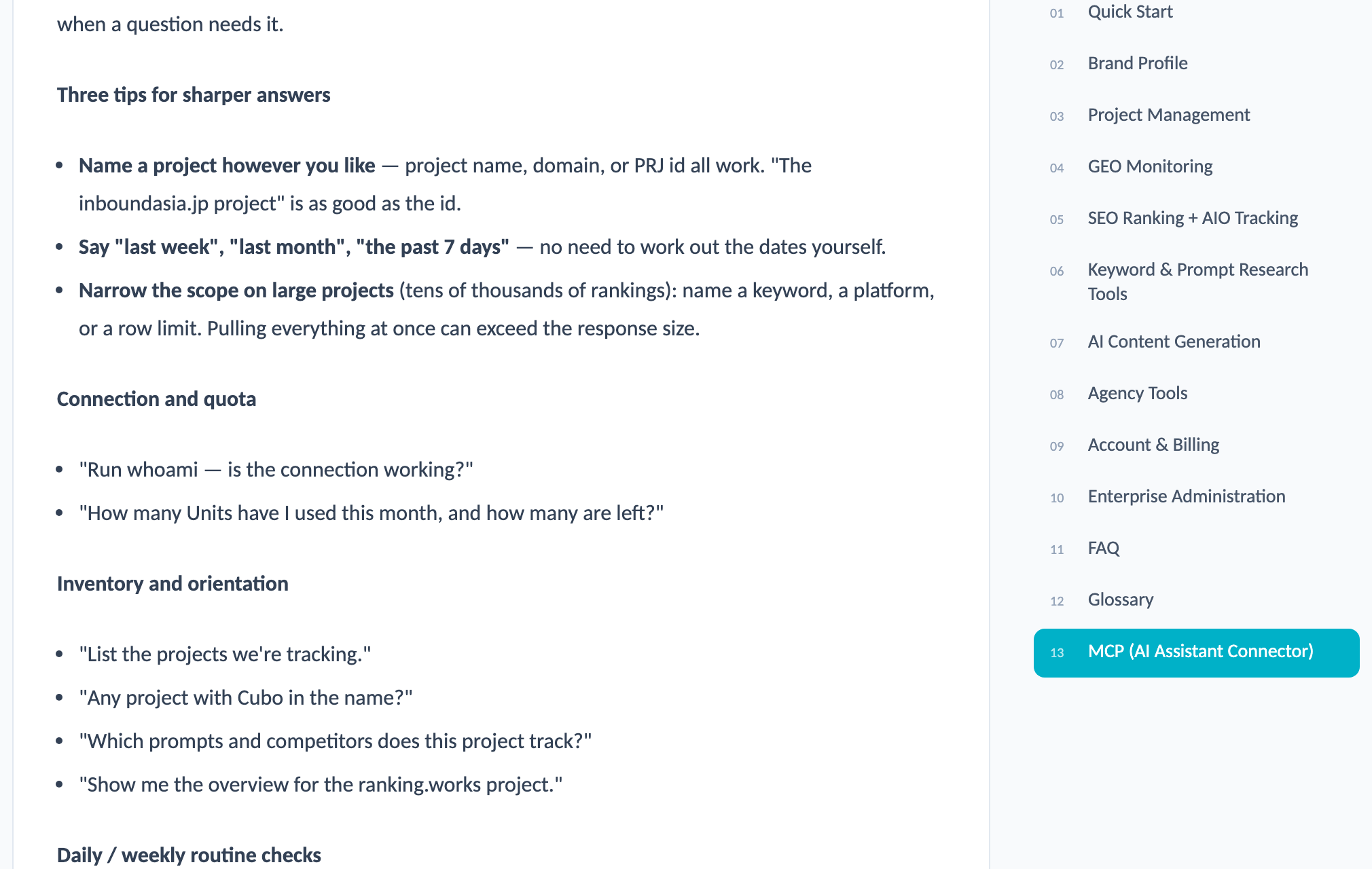
No tool names or parameters to memorize. Name the project, the period and the platform.
Inventory and orientation
"List the projects we’re tracking." "Which prompts and competitors does this project track?" A project can be named by name, domain or id.
AI visibility
"How has AI visibility trended over the past 30 days, and how does that compare with competitors?" "Which prompts mention us, and which never do?"
SEO rankings
"Which keywords dropped the most this week?" "What does the Google top 10 look like for this keyword right now?" Previous rank and competitor positions included.
The gap between SEO and AI
"Which keywords do we rank well for but AI never mentions us?" A cross-view that neither a pure SEO tool nor a pure GEO tool can give you.
Research and content
"Research related keywords for this term and pull out the ones with buying intent." "Build an outline for this keyword, then write it up as a 1,500-word article."
One sentence, several tools
This is the real difference from opening a dashboard: you describe the goal, not the steps.
- "Pull this month’s AI visibility, ranking changes and citation sources into a monthly summary for the client."
- "Find keywords where we rank top 10 but AI doesn’t mention us, research related keywords for those, and propose the next batch of content topics."
- "Across all projects, find the one whose AI visibility dropped most this week, then dig into what happened."
- "When was this project’s ranking data last refreshed? Is the AI sync healthy?"
The MCP chapter of the user manual lists 42 ready-to-use example questions, grouped by inventory, visibility, competitors, gaps and content production.
From enabling it to your first answer
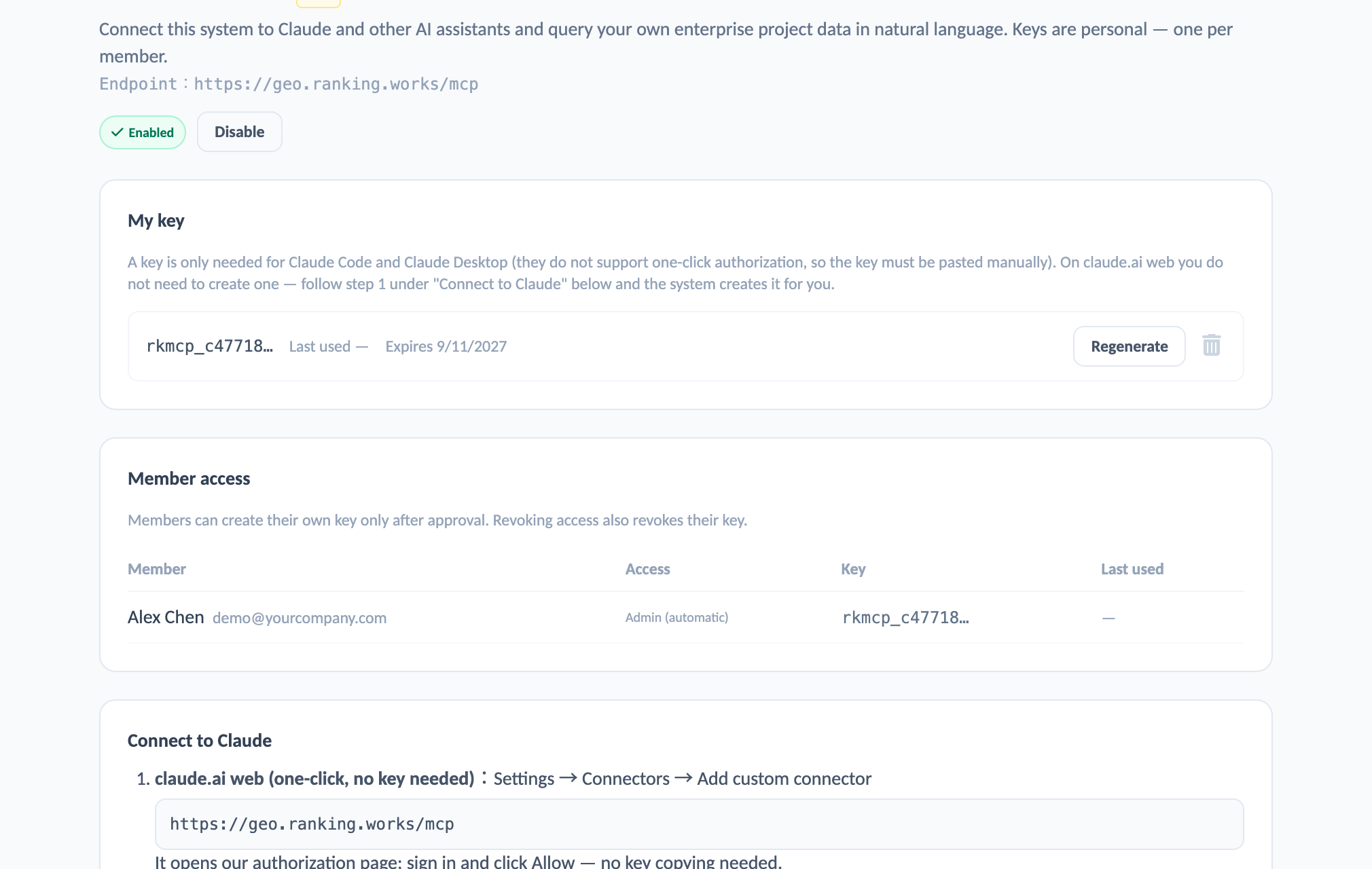
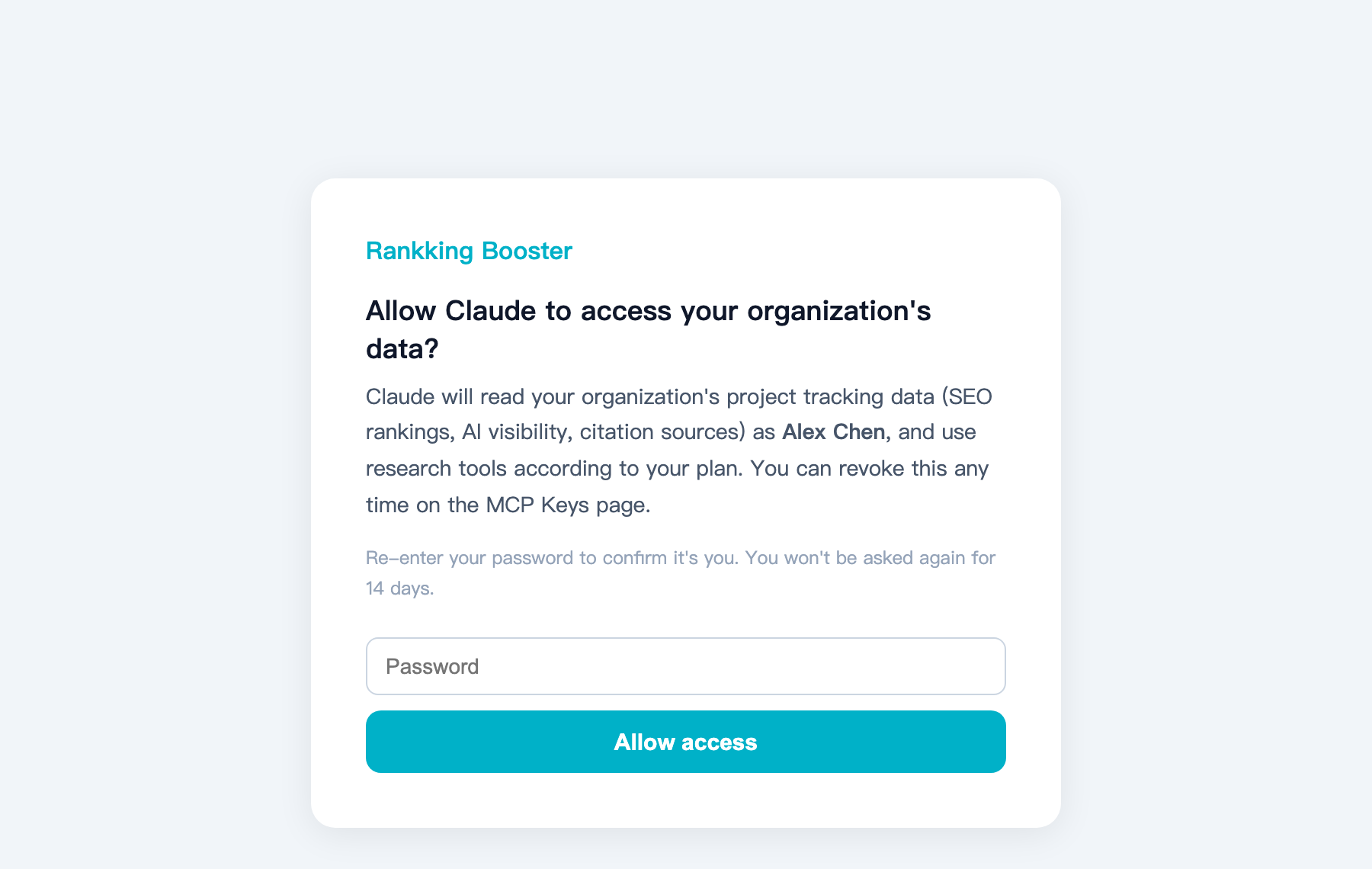
Data boundaries and key rules
The question worth asking about any AI connector is what it can read — and what it cannot.
Your organization only
Every tool is scoped to the organization the key belongs to. Other organizations’ projects, rankings and usage are not visible.
One key per member
Each member holds their own. Regenerating invalidates the old one immediately. Both the member and the admin can delete it.
Password change revokes the key
Changing a password — self-service, admin reset or forgot-password — automatically revokes that member’s key. A new one has to be created.
The admin controls enablement
MCP can be switched off for the whole organization at any time. Revoking one member’s access revokes their key at the same time.
FAQ
QWhat is MCP?
Model Context Protocol — an open protocol for connecting AI assistants to external data sources. Once connected, Claude reads the system data you have authorized instead of relying on you to paste it in.
QDo we need to write any code?
No. On claude.ai, go to Settings → Connectors, paste the URL, sign in and confirm your password. Claude Code and Claude Desktop connect with a key — also a single command.
QCan Claude see our other clients’ data?
No. The key is bound to an organization and every query is scoped to that organization’s projects. Isolation is enforced at the system level, not by instructions in a prompt.
QDoes it consume plan quota?
Yes. Read-only queries cost very little; research, live fetching and content generation share the same quota as the web tools, priced the same way. Once connected you can simply ask how much you have used this month.
QHow do we get started?
An admin enables it on the MCP Keys page, and members then create their own key — or connect with one-click authorization on claude.ai. To see it working first, we can connect it to your projects during a demo.
Tell us what you need
Our team will get back to you as soon as possible to schedule a live demo.